
Capability
Targeting and Segments
Define context, build reusable segments, and target features precisely to users, applications, plans, or environments.
Why targeting matters
A feature flag that's either on or off for everyone is a blunt instrument. Some users should get the new experience earlier than others — beta testers need to validate before general availability, enterprise customers may need special treatment, internal employees should test before public launch.
Zenmanage solves this with context: pass user or application attributes with every flag evaluation and let targeting rules decide the outcome. A context carries a type (user, service, organization), an identifier, and custom attributes like plan, region, role, or app version. Segments group contexts by shared traits so you can define "beta testers" once and reuse it across all flags.
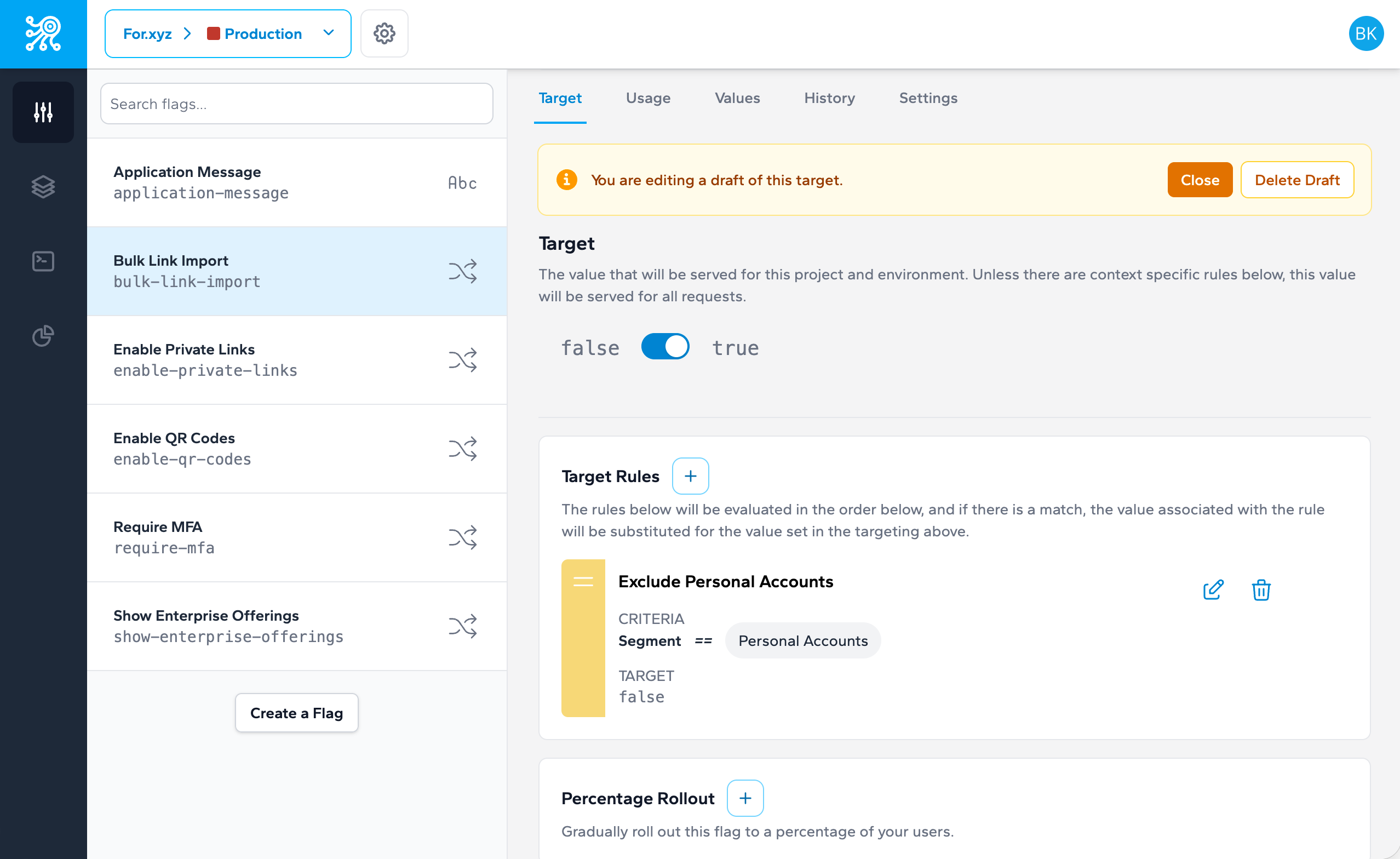
Targeting rules combine segments and attribute conditions to deliver precision. Say "serve the new checkout to 50% of enterprise users in the EU" — that's segments, attributes, and percentages working together. Each context gets a consistent experience as your rollout ramps, and rules can vary per environment so staging and production target independently.
Key capabilities
-
Context attributes
Pass custom key-value attributes (plan, role, region, app version) with every flag evaluation to power precise targeting.
-
Reusable segments
Define audience groups once - beta testers, enterprise accounts, internal users - and reference them across any flag.
-
Targeting rules
Combine segments, attribute conditions, and operators (equals, contains, greater than) to control exactly who sees what.
-
Percentage-based rollouts
Allocate a percentage of traffic to a flag value using deterministic hashing so each context gets a consistent experience.
-
Environment scoping
Apply different targeting rules per environment so staging and production can target independently.
See it in action
Build targeting rules that combine segments, attribute conditions, and percentage allocation — all from the flag detail view.
const value = await client.getValue('onboarding-flow', {
  type: 'user',
  identifier: user.id,
  attributes: { plan: 'team', region: 'eu' }
});
Related capabilities
-
Feature Flags
Create the flags these rules evaluate
-
Progressive Rollouts
Combine targeting with gradual exposure
Target the right experience to the right audience
Segments and targeting rules let you deliver personalized experiences at scale.