
Reference
Webhooks
Consume flag and targeting change events so your own systems can refresh caches, trigger workflows, and audit rollout activity.
Overview
Zenmanage webhooks let your systems react when flag targets or targeting rules change. The common pattern is to refresh caches, fan out audit notifications, or trigger downstream automation immediately after a rollout change lands.
Zenmanage can deliver webhook requests with POST, GET, PUT, or PATCH. For POST, PUT, and PATCH, the payload is sent in the request body. For GET, the JSON payload is included in the json query parameter.
Prerequisites
- A URL in your infrastructure that can accept Zenmanage webhook requests.
- A consumer that can safely process the same event more than once.
- A plan for refreshing flag caches or invalidating derived data when rollout settings change.
Event catalog
| Event | When it fires | Common consumer action |
|---|---|---|
| flag.target.changed | A flag target changes value. | Refresh any locally cached value for the flag and record the change in your deployment or audit stream. |
| target.rule.created | A new targeting rule is added to a flag. | Rebuild rule snapshots or notify teams that audience targeting changed. |
| target.rule.changed | An existing targeting rule is edited. | Invalidate caches and compare previous versus current targeting logic in your own observability layer. |
| target.rule.removed | A targeting rule is removed from a flag. | Re-evaluate any assumptions about fallback target values and rule ordering. |
Configure a webhook
- 1. Sign in to Zenmanage with access to the target environment.
- 2. Open the admin area, select the project, then choose the environment where the webhook should live.
- 3. Open the webhooks tab and choose Create Webhook.
- 4. Provide the destination URL, choose the HTTP method, and select either all events or the specific events you want to receive.
- 5. Save the webhook and verify your consumer receives a request when a flag target or rule changes.
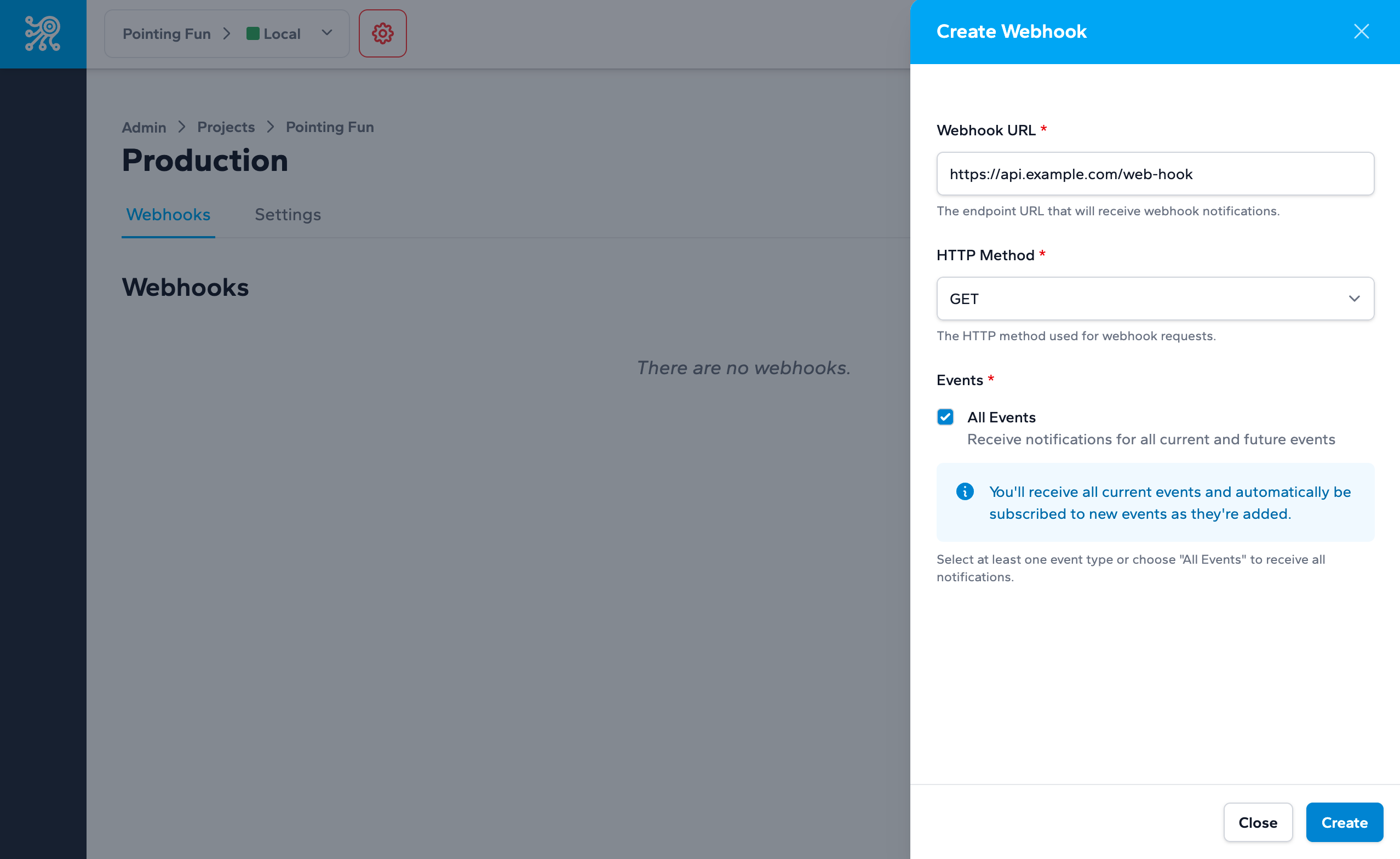
Choosing all events means new event types added in the future can begin flowing automatically. Choosing only specific events gives you a tighter consumer surface and more explicit filtering.
Delivery and failure behavior
Example payload
{
  "type": "flag.target.changed",
  "timestamp": "2024-06-23T20:36:07+00:00",
  "attributes": {
    "project_key": "your-project",
    "environment_key": "staging",
    "flag_key": "new-checkout",
    "new_target_value": "false",
    "transaction_id": "wht_4a2b4f3c8d1e5f6g"
  }
}
Consumer pattern
app.post('/zenmanage/webhooks', express.json(), async (req, res) => {
  const event = req.body;

  if (event.type === 'flag.target.changed' || event.type.startsWith('target.rule.')) {
    await flagCache.invalidate(event.attributes.flag_key);
  }

  res.status(200).json({ ok: true });
});
Keep the handler small: validate the payload shape, record the event, enqueue expensive work, and acknowledge quickly.
Next step
Take the next integration step in your own stack.
Start with the quickstart that matches your runtime, then return to the reference pages when you need exact request and payload details.