
Capability
Integrations
Bring Zenmanage into your delivery stack with APIs, SDKs, and webhook-driven workflows that keep flags close to the way you ship.
Why integrations matter
A feature flag platform is only as useful as its integration depth. If flags can't be reached from your codebase, evaluated in your services, or automated in your CI pipeline, the platform is shelf-ware. Integrations are what make flags practical and embedded into real workflows.
Zenmanage provides multiple integration surfaces to meet teams where they are. A REST API enables any HTTP client to evaluate flags. Server-side SDKs for JavaScript/Node.js, Python, PHP, and Laravel integrate directly into application code. Webhooks deliver real-time notifications when flag targets change, enabling event-driven automation like syncing flags to analytics tools or triggering automated tests.
If you want the exact implementation details, the Developers docs overview links into quickstarts, concepts, reference material, and operational guides without making you search across the marketing site.
The ecosystem is growing: more SDKs are coming, and integrations expand regularly. Today you have flagging from the command line, in CI/CD pipelines, in application code, and in automation workflows — all coordinated through a single control plane.
Key capabilities
-
REST API
JSON-based API at api.zenmanage.com with OpenAPI v3 spec - evaluate flags, report usage, and manage configuration from any HTTP client.
-
JavaScript SDK
Client-side and Node.js evaluation with context support, percentage bucketing, and lightweight integration.
-
Python SDK
Native Python integration for Django, Flask, and FastAPI with sync and async support, context-based targeting, and ~1ms local evaluation. Install via pip install zenmanage.
-
PHP SDK
Native PHP integration for server-side flag evaluation with context and attribute support.
-
Laravel SDK
First-class Laravel integration with service provider, facade, and middleware - evaluate flags idiomatically in Laravel apps.
-
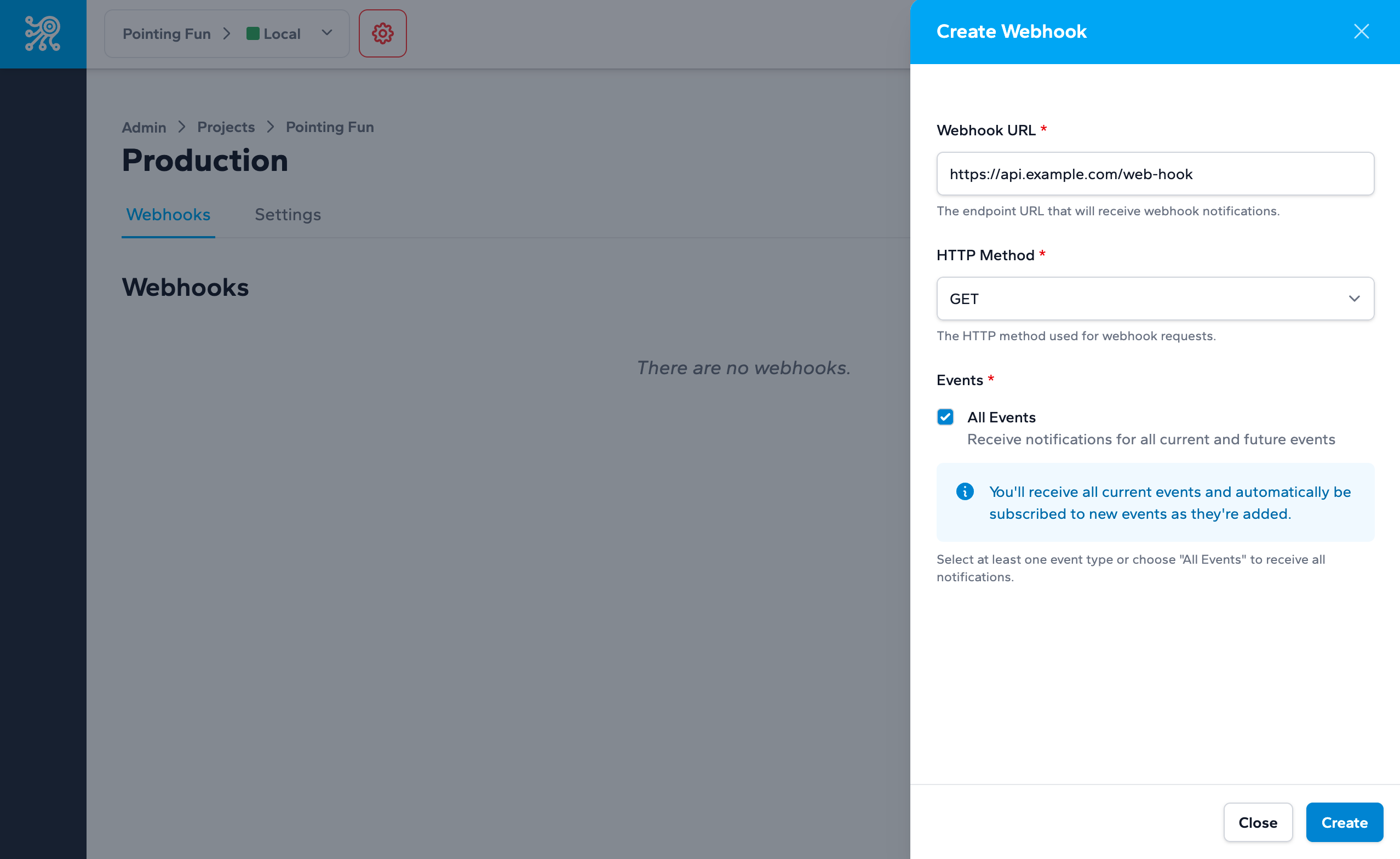
Webhooks
Receive real-time HTTP notifications when flag targets change, targeting rules are created, modified, or removed.
-
Server, mobile, and client keys
Each environment provides three key types so every SDK class receives the intended flag payload.
See it in action
Configure webhooks per environment and send the platform-specific key that matches your runtime so the API returns the correct payload shape.
curl -X GET https://api.zenmanage.com/v1/flags/new-checkout \
  -H "X-API-KEY: tok_your_server_key_here" \
  -H "X-ZENMANAGE-CONTEXT: {\"type\":\"user\",\"identifier\":\"user-42\",\"attributes\":[{\"key\":\"plan\",\"values\":[{\"value\":\"team\"}]}]}"
Related resources
-
Feature Flags
The flags your integrations evaluate
-
Developers
Docs overview, quickstarts, API reference, webhook payloads, and rollout playbooks
Connect Zenmanage to the way you already build
APIs, SDKs, and webhooks integrate seamlessly with your existing stack.