
Introducing Progressive Rollouts: Release Features to 1% Before You Release to Everyone
Progressive Rollouts give you phased release control inside the feature flags you already manage. Roll out to a percentage, observe, and expand or roll back — no all-or-nothing deploys.

Progressive Rollouts bring phased release control to Zenmanage. Instead of flipping a flag to 100% of users at once, you can now release to a small percentage, watch how things go, and expand gradually — or roll back instantly if something isn't right.
Every team that ships software has felt the tension: your feature is ready, your tests pass, your staging environment looks great — and then there's that moment where you push a button and every single user gets the new code at once. If something goes wrong, everyone is affected.
Today we're introducing Progressive Rollouts, a new capability in Zenmanage that eliminates the all-or-nothing deploy. With Progressive Rollouts, you control exactly what percentage of users see a new feature at any stage of your release — and you can pause, resume, or roll back at any time.
The Problem with Binary Releases
Feature flags already give you the ability to separate deployment from release. You deploy the code, then flip the flag when you're ready. But "ready" typically means ready for everyone. The flag is either on or off.
That binary model works fine for low-risk changes — a copy update, a minor UI tweak. But for anything with meaningful blast radius — a new payment flow, a rewritten dashboard, a performance-sensitive backend change — you want something more measured.
You want to release to 1% of traffic, check your error rates and latency, then go to 5%. Then 10%. Then 50%. And only when you're confident, 100%.
That's exactly what Progressive Rollouts deliver.
What Shipped
Progressive Rollouts are built directly into Zenmanage's flag targeting system. When you configure a flag target, you now have the option to roll out the new value to a percentage of your audience instead of publishing it to everyone at once.
There are two rollout modes, plus controls for pausing, resuming, and completing a rollout.
Manual Rollouts
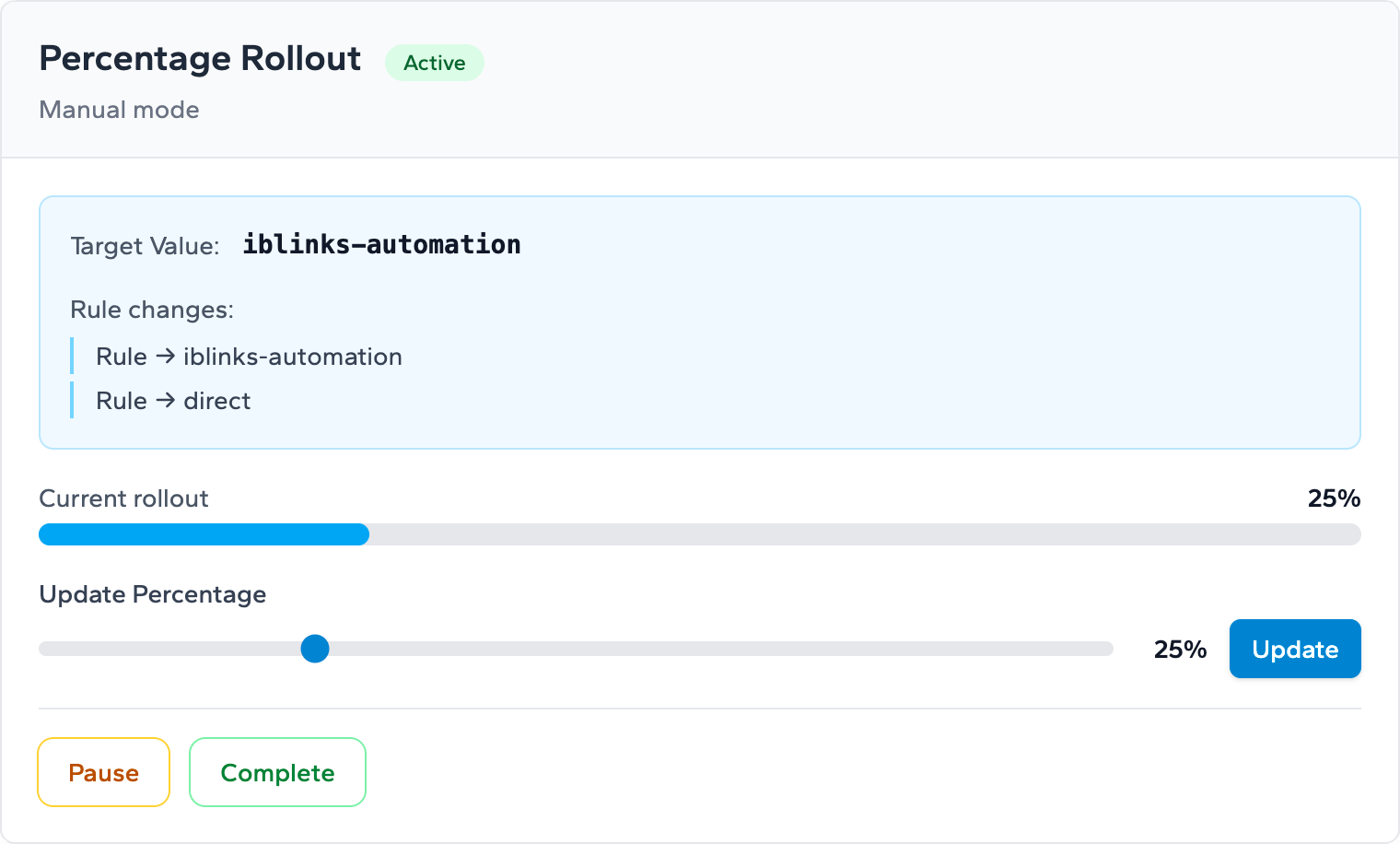
In Manual mode, you set a specific percentage — anywhere from 1% to 100% — and Zenmanage delivers the new value to exactly that share of traffic. You're in full control of when the percentage changes.
This is ideal when you want to make deliberate, hand-guided decisions at each stage. Start at 5%, check your dashboards, bump to 20% after a few hours, and continue expanding at whatever pace feels right for the change.
Automatic Staged Rollouts
In Automatic mode, the system progresses through a predefined series of stages on a daily cadence:
- Stage 1: 1%
- Stage 2: 2%
- Stage 3: 5%
- Stage 4: 10%
- Stage 5: 20%
- Stage 6: 50%
- Stage 7: 100%
Each day, the rollout automatically advances to the next stage. You don't have to remember to come back and bump the percentage — the system handles the progression for you.
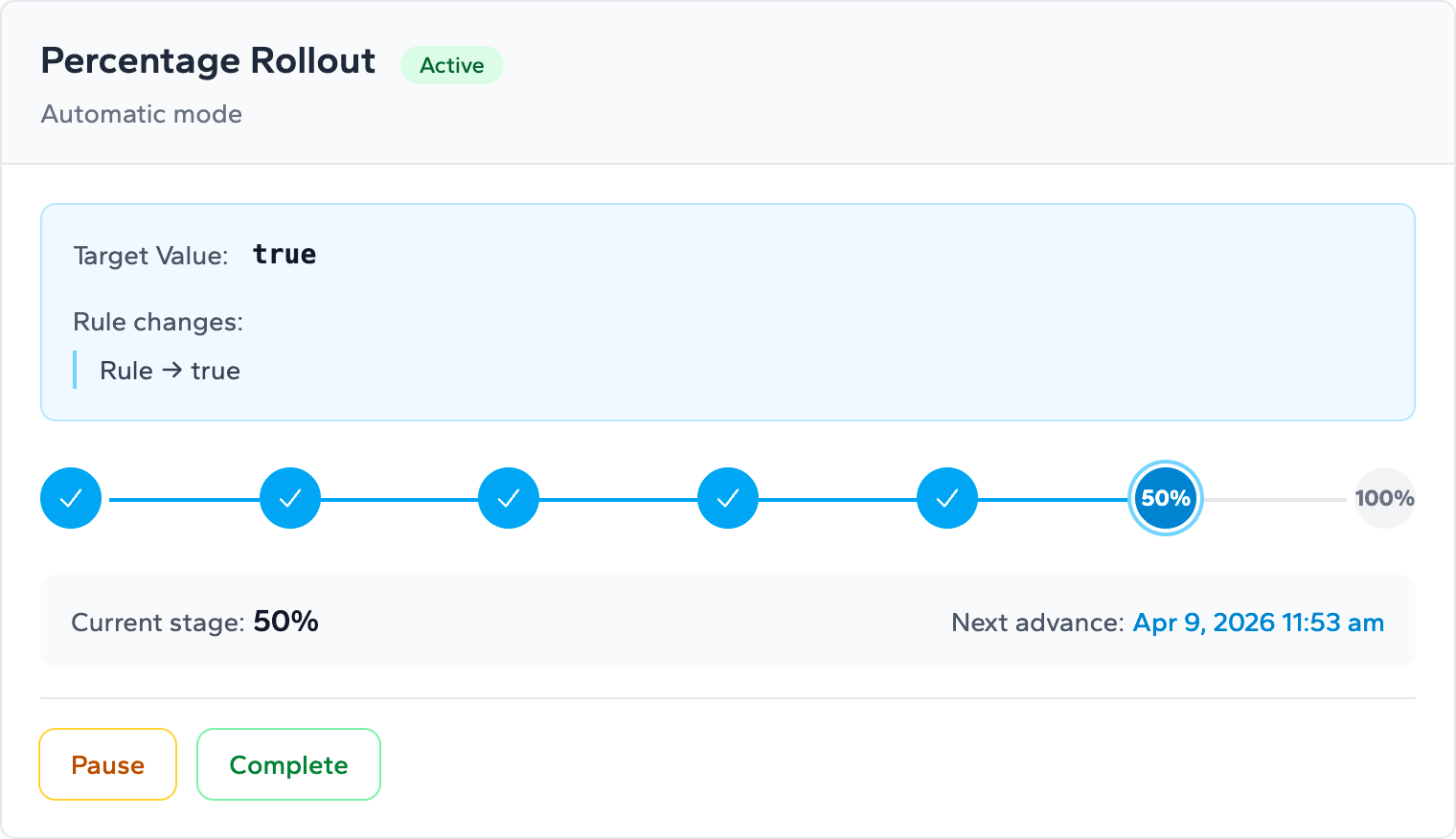
This is a great default for teams that want a structured ramp-up without the overhead of manually adjusting percentages every day.
Pause and Resume
Whether you're using Manual or Automatic mode, you can pause a rollout at any time. If your monitoring detects a spike in errors or a regression in a key metric at 5%, just pause the rollout. Traffic stays at the current percentage — no new users are added to the rollout group, and existing users keep their current experience.
When you've diagnosed the issue and shipped a fix, resume the rollout from exactly where you left off. No need to start over.
Complete the Rollout
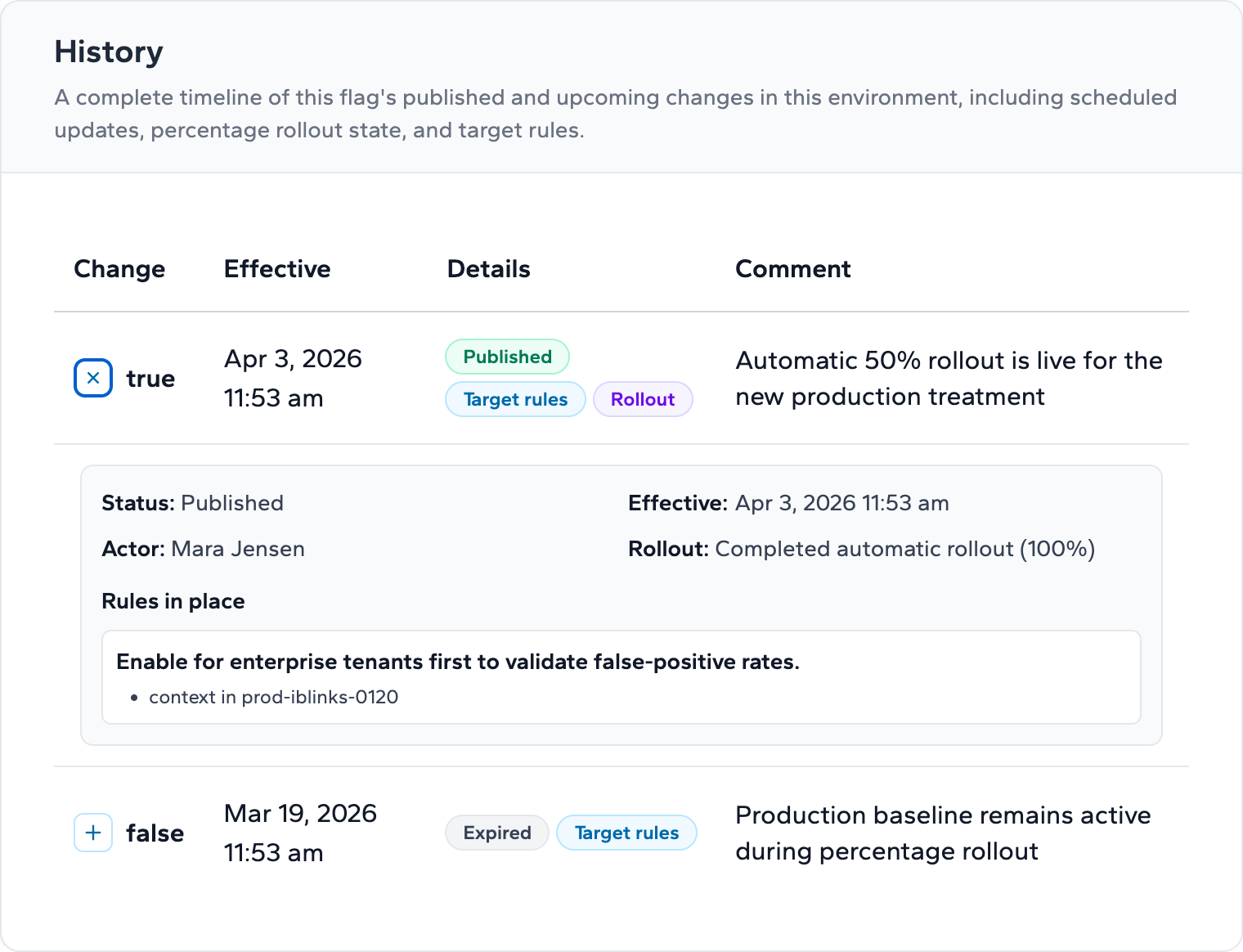
When your rollout reaches 100% and everything looks good, you complete it. Completing a rollout promotes the new value to be the flag's target value for all traffic. The rollout state is cleared, and the flag goes back to behaving like a standard flag — now serving the new value to everyone.
How It Works Under the Hood
One of the most important properties of Progressive Rollouts is deterministic bucketing. Each user is assigned to a consistent bucket based on their identity, which means the same user always gets the same experience for a given rollout. There's no flickering — a user who sees the new feature at 5% will continue seeing it at 10%, 20%, and beyond.
This consistency is critical for a good user experience. Nobody wants to see a new checkout flow one moment and the old one the next. Deterministic bucketing eliminates that risk entirely.
Progressive Rollouts also integrate with the rest of Zenmanage's flag targeting system. Your existing targeting rules, segments, and environment configurations all continue to work as expected. The rollout percentage applies within the context that your targeting rules define.
Why This Matters
At its core, Progressive Rollouts shift the question from "Should we release this?" to "How much should we release this to?". That's a fundamental change in how teams think about risk.
- Reduce blast radius: A bug that affects 1% of users is a contained incident. A bug that affects 100% of users is a crisis.
- Ship with confidence: Teams that can roll back quickly and cheaply ship more frequently. Progressive rollouts make the cost of a bad release dramatically lower.
- Get real production data: Staging environments only tell you so much. With a 1% rollout, you get real production signals — real users, real load, real edge cases — without putting everyone at risk.
- Reduce coordination overhead: Instead of aligning ten teams for a big-bang release, ship when you're ready and ramp up gradually. Progressive rollouts turn a high-ceremony release into a routine operation.
- Build organizational trust: When leadership and stakeholders can see that new features go through a measured rollout, there's more confidence in the release process across the entire organization.
What We Built
This launch is the result of significant engineering investment across the platform. Without going too deep into the technical details, here's a high-level view of what went into making Progressive Rollouts possible:
- A new percentage-based allocation engine with deterministic user bucketing
- Manual and automatic rollout mode support in the flag targeting system
- Pause, resume, and complete lifecycle controls
- A daily stage advancement system for automatic rollouts
- Updates across our SDK ecosystem to support percentage-based evaluation
- New UI components for configuring, monitoring, and completing rollouts
Every piece was designed to integrate cleanly with Zenmanage's existing flag management, targeting, and audit systems — so Progressive Rollouts feel like a natural extension of the platform rather than a bolted-on feature.
Get Started
Progressive Rollouts are available now for all Zenmanage users. You can start using them today on any flag in any environment.
Here's where to go next:
- Progressive Rollouts capability page — Learn more about the feature and see how it fits into the Zenmanage platform.
- Progressive Rollouts Playbook — A step-by-step guide covering the full rollout lifecycle from configuration through completion.
- Start your free trial — Create an account and try Progressive Rollouts in minutes.
Ready to stop shipping all-or-nothing?
Progressive Rollouts are included on every Zenmanage plan. Start a free trial and run your first rollout today.
Start free trial
We are looking forward to seeing what Progressive Rollouts mean for teams that want to ship faster without shipping recklessly. As always, we'd love to hear how you're using them — reach out and let us know.