
Concepts
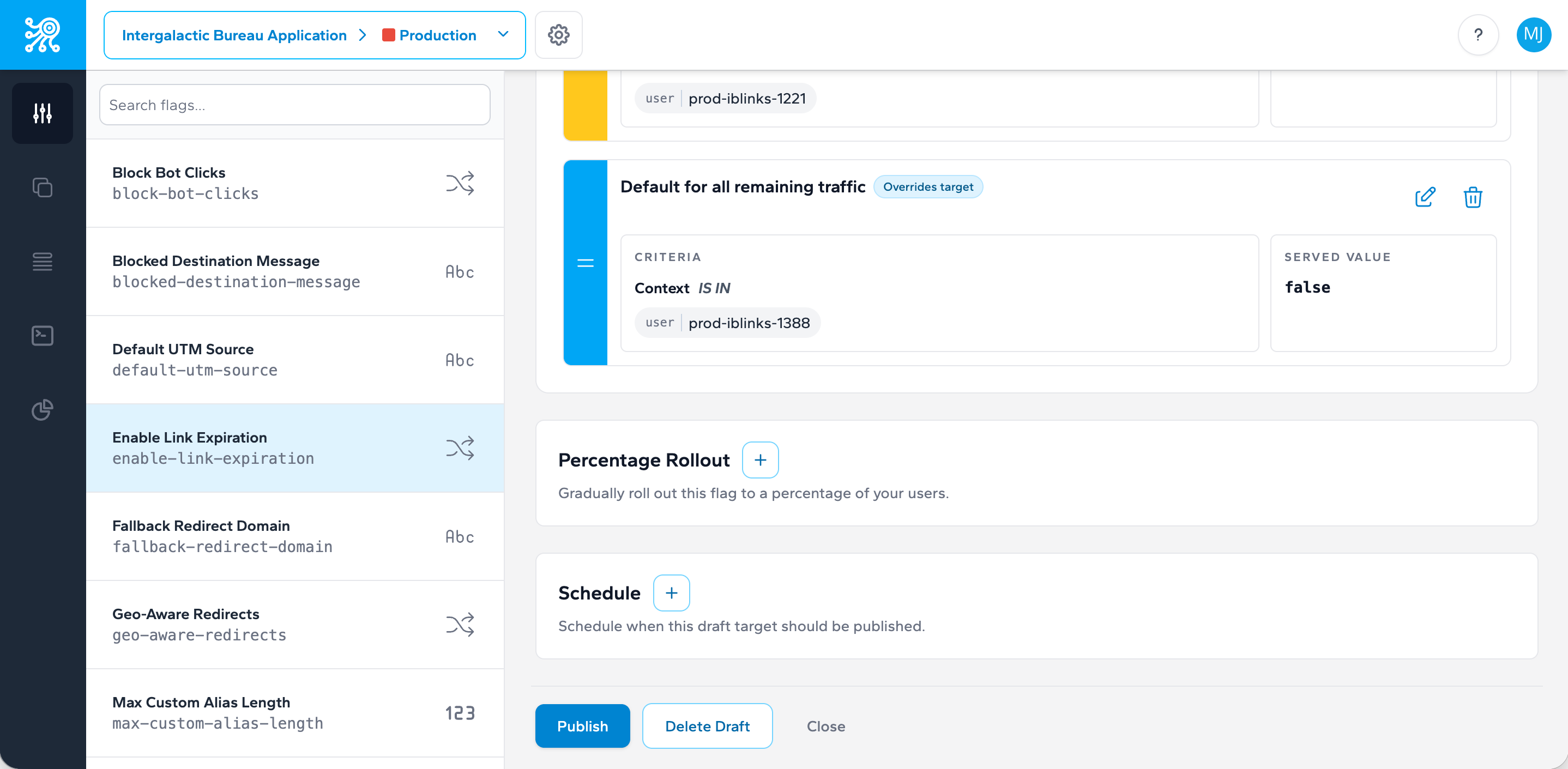
Targets and Publishing States
Treat target state changes as part of your release workflow, not as an afterthought after code ships.
How a target moves through time
Zenmanage targets carry publishing metadata in the API response: published_at, scheduled_at, and expired_at. Together, those fields describe whether a target is still being prepared, already live, scheduled for a future change, or no longer active.
Draft
Defined but not yet published for live evaluation.
Published
Active now and returned during evaluation.
Scheduled
Configured to change in the future without a new deployment.
Expired
No longer the active target after its expiration window passes.
Why this matters operationally
Publishing state is part of release management. A scheduled target can act like a planned release window. An expired target can remove temporary behavior automatically. A published boolean target can become your fastest kill switch. The more intentional you are about state transitions, the less manual cleanup your team needs later.
Before using scheduling for a production rollout, make sure your on-call team also knows the manual rollback path in the kill switch and incident rollback playbook.
Per-environment safety gates
Environment settings hold a set of safety gates enforced in the publish flow. Each one is opt-in and scoped to a single environment, so production can require all of them while staging stays fast to iterate in. Two gate the publish action itself:
Required comments
Turn this on and the comment field becomes mandatory whenever someone publishes a target change in that environment. It's enforced server-side on both the dashboard and the Management API — a publish request without a comment is rejected, not just discouraged.
Publish confirmation
Turn this on and the dashboard won't let you publish until you type the flag's key into a confirmation field, danger-zone style — the button stays disabled until what you typed matches. It's a dashboard-only check: a typed string has nowhere to go over an API call, so the Management API instead rejects any publish or schedule request on that environment outright, with a 422 telling you to make the change from the dashboard.
A third gate works on a longer time horizon instead of blocking a publish. Stale-flag alerts are also opt-in per environment, with a threshold on how many stale flags are allowed to pile up before Zenmanage emails the account's owners and admins. See Flag Lifecycle and Status for how staleness is measured and how the alert threshold works.
How scheduled publishing actually fires
A scheduled target doesn't fire at the exact second you picked. Zenmanage checks for due changes once a minute, and each check picks up anything due within the next 45 seconds — so a change can publish up to 45 seconds ahead of its scheduled time, but is never more than about a minute late, since the following check will already be past due for it. Treat scheduled_at as accurate to within about a minute, not to the second — close enough for a coordinated launch or an off-hours release, not for something that needs precision tighter than that.
When a scheduled change actually publishes, Zenmanage emails every account admin. That notification is specific to the scheduled-publish job — an ordinary, immediate publish doesn't send that same email, so don't rely on scheduling as your only paper trail for changes that happen right now.
A scheduled (or still-draft) target can be cancelled any time before it fires — from the flag's detail page in the dashboard, or by sending a delete request for that pending target itself (not its targeting rules) through the Management API. Cancelling removes the pending change entirely — it doesn't publish anything in its place.