
Guides and playbooks
Analytics and Reporting
Read Zenmanage reports as operational signals, not vanity metrics, so you can spot missing defaults, stale flags, and rollout drift early.
Comparison windows
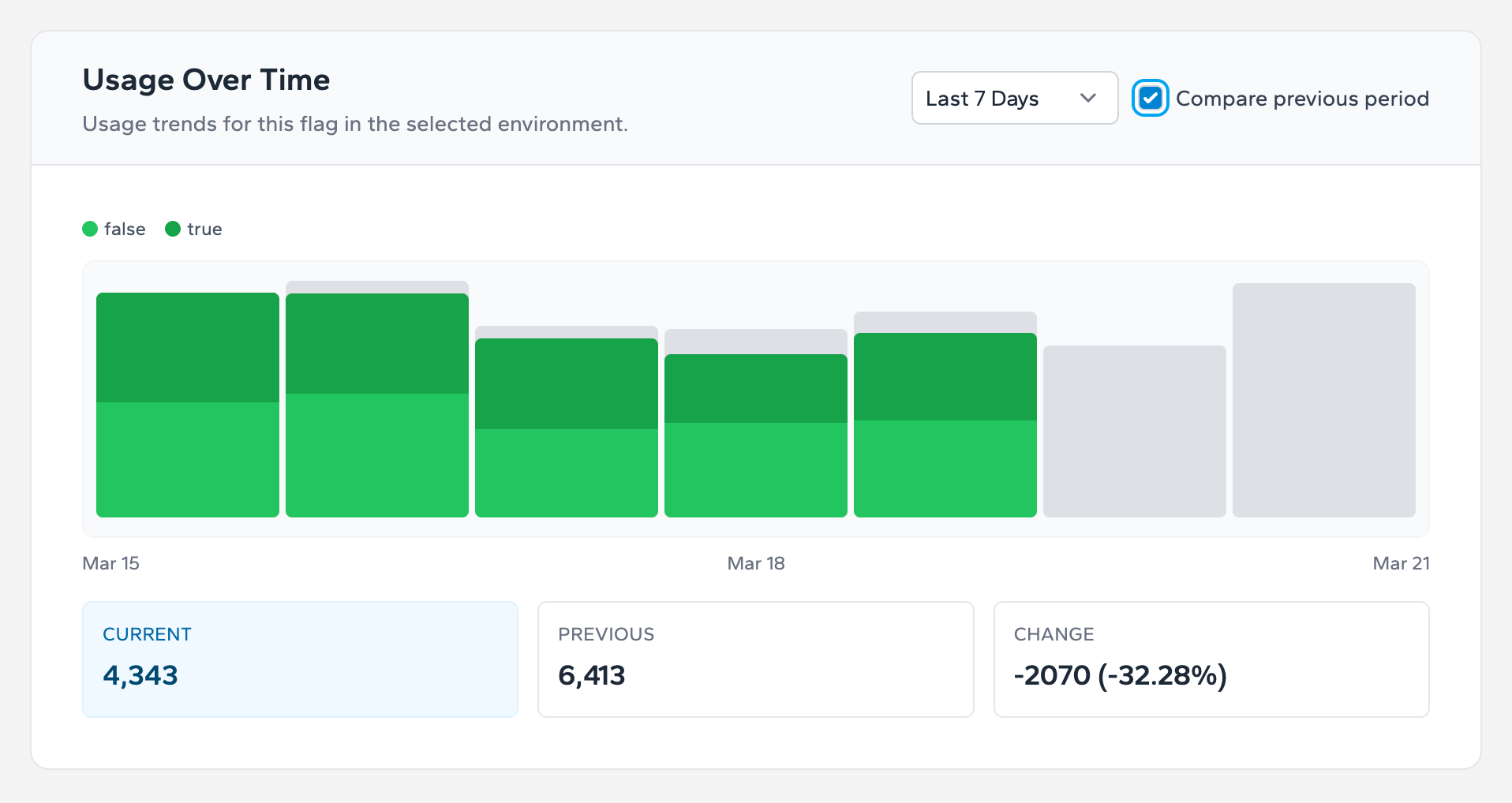
Use 24-hour, 7-day, 30-day, and 90-day windows for different decisions. Short windows show rollout regressions quickly. Longer windows show whether a flag is still actively exercised or turning into debt.
Value-split interpretation
If a flag serves multiple values, read the split as rollout distribution, not success on its own. Compare the split with the intended audience and current rollout configuration before concluding that exposure is correct.
Two reports to act on immediately
- Missing default value report: use it to find integrations that have no fallback if the live flag is unavailable. This is the fastest report-to-remediation path for reliability.
- Last evaluation date report: use it to find stale flags, low-value long-tail flags, or candidates for cleanup after a rollout is complete.
If a flag has not been evaluated recently and no current rollout depends on it, move it into your cleanup queue rather than carrying it indefinitely.
Next step
Take the next integration step in your own stack.
Start with the quickstart that matches your runtime, then return to the reference pages when you need exact request and payload details.